Smart Safe
A working safe that opens with a keypad code or remotely from a phone.
- Year
- 2024
- Team
- Team of five
- My role
- Firmware, Blynk app, schematics and wiring
- Built with
- ESP32, C++, Blynk, Wokwi
/demo
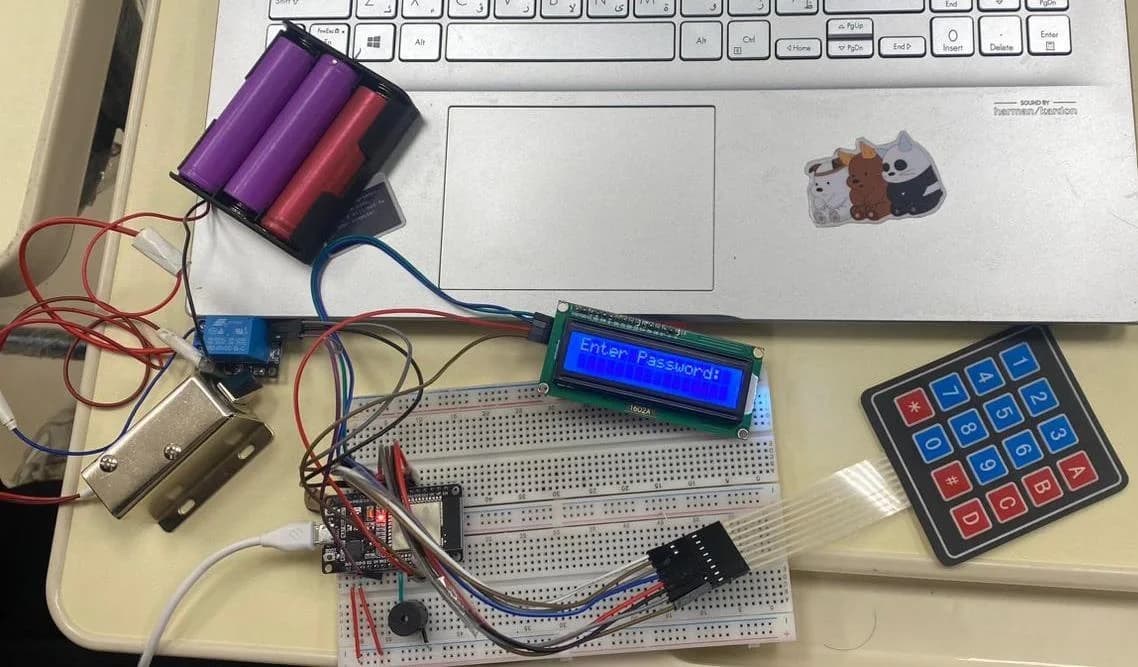
The finished safe, opening for real
/try-it
Try the safe yourself
This runs the same logic as our ESP32 firmware: the same keypad, password, messages and alarm. The phone on the right is the lock page the safe serves over its own Wi-Fi.
Try it: the code is 2021, * deletes, # enters. Press # with nothing typed to lock. Three wrong codes set off the alarm. Wrong tries so far: 0.
192.168.1.1 · ESP_AP
Lock Control
The page the ESP32 serves over its own Wi-Fi hotspot.
/my-part
What I did on a team of five
Firmware
Wrote the main safe code: keypad input, password check, LCD messages, relay control and the alarm.
Remote control
Wrote the Blynk code for unlocking from a phone. The final build serves its own lock page over Wi-Fi.
Schematics
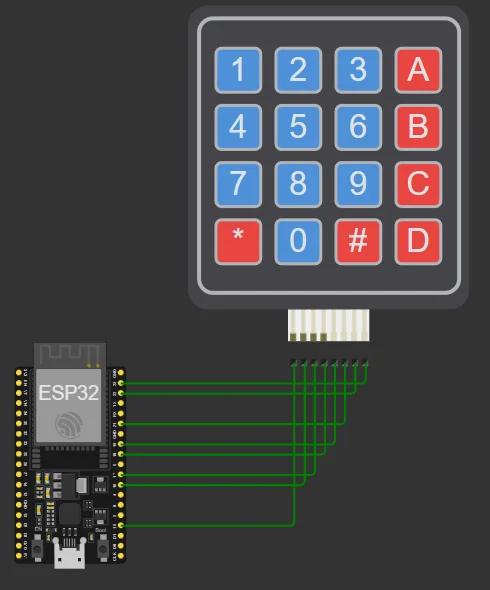
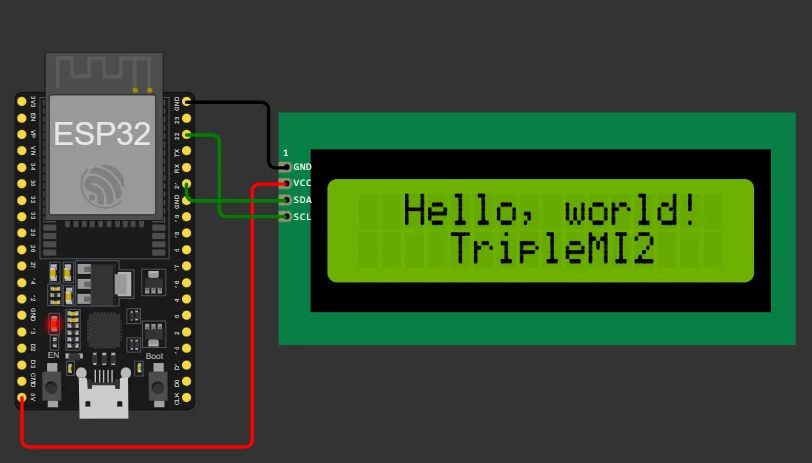
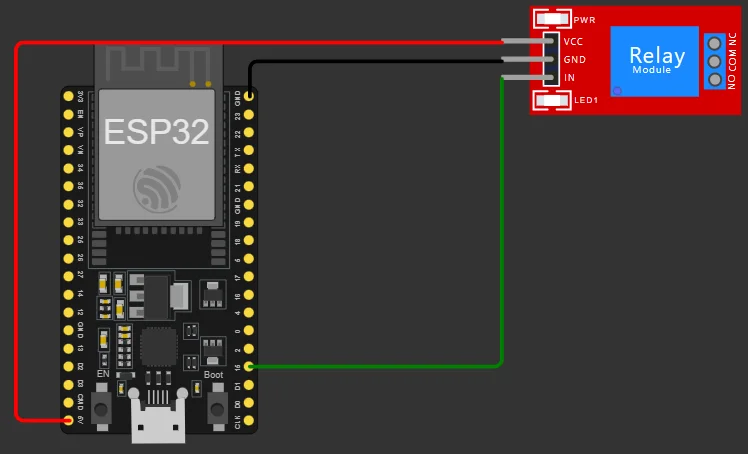
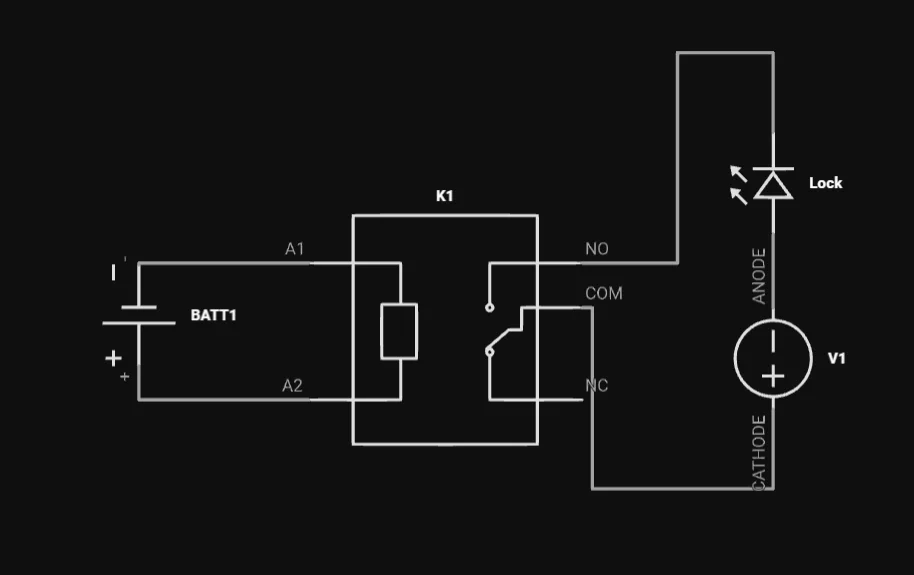
Drew the circuit schematics for the relay and solenoid, the keypad and the I2C LCD.
Hardware
Chose the components, then soldered, wired and assembled them into the safe.
/simulate-first
Simulated on Wokwi before touching a soldering iron
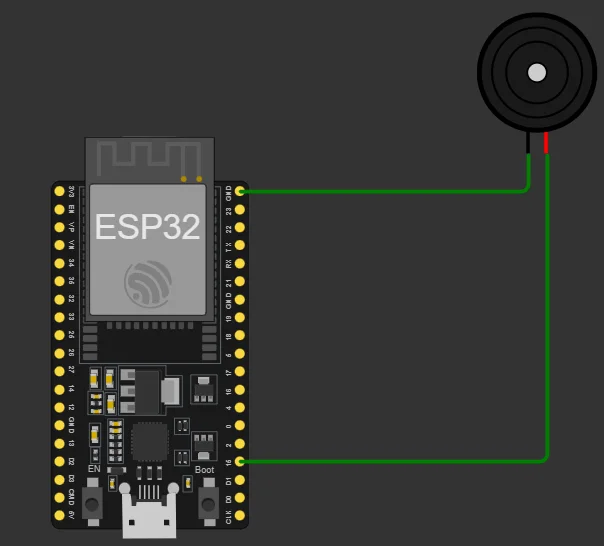
Each part got its own simulation first, so wiring mistakes cost nothing. The links open our original Wokwi projects.
/code
The code behind the keypad
1void Keypad()2{3char key = keypad.getKey();4if (key) {5if (key == '#') {6checkAndProcessPassword(key);7} else if (key == '*' && enteredPassword.length() > 0) {8// '*' works as backspace9enteredPassword.remove(enteredPassword.length() - 1);10lcd.setCursor(enteredPassword.length(), 1);11lcd.print(" ");12lcd.setCursor(enteredPassword.length(), 1);13} else {14clearLCD();15enteredPassword += key;16lcd.print(enteredPassword);17}18}19}2021void checkAndProcessPassword(char key) {22if (checkPassword()) {23lcd.setCursor(0, 1);24lcd.print("Access Granted");25digitalWrite(relayPin, HIGH); // Open the relay26delay(2000);27clearLCD();28incorrectAttempts = 0;29deactivateBuzzer();30}31else if (checkPassword() == false && key == '#' && enteredPassword == "") {32lcd.setCursor(0, 1);33lcd.print("Safe is Locked");34digitalWrite(relayPin, LOW);35delay(2000);36deactivateBuzzer();37clearLCD();38}39else {40lcd.setCursor(0, 1);41lcd.print("Access Denied");42analogWrite(buzzerPin, 255);43locker();44delay(1000);45incorrectAttempts++;46deactivateBuzzer();47printLcd();48if (incorrectAttempts >= 3) {49activateBuzzer(); // Siren sweep, 500 to 600 Hz50police();51delay(1000);52incorrectAttempts = 0;53deactivateBuzzer();54printLcd();55}56}57enteredPassword = ""; // Clear the entered password58}
1// The safe runs its own Wi-Fi hotspot and serves a lock page2WiFi.softAP(ssid, password);3WiFi.softAPConfig(local_ip, gateway, subnet); // 192.168.1.14server.on("/", handle_OnConnect);5server.on("/Open", handle_Opened);6server.on("/Closed", handle_Closed);7server.onNotFound(handle_NotFound);8server.begin();910void handle_Opened() {11digitalWrite(relayPin, HIGH);12server.send(200, "text/html", getHTML());13}1415void handle_Closed() {16digitalWrite(relayPin, LOW);17server.send(200, "text/html", getHTML());18}
What went wrong, and the fix
ESP32 connectivity, wiring mistakes and keypad bugs cost us time. The fix was reading the exact datasheet for each part and simulating every circuit before wiring it, so we didn’t burn out components.